- Published on
Feeding the i486-DX4: Declarative Optical Media on NixOS
- Authors

- Name
- Johanness Nilsson
- Mastodon
Old Enough to Remember…
Around the turn of the millennium I burned around three discs a week. All sorts, pirated software and games for me mates, mix CDs of Napster downloads, whatever it was didn't really matter. Discs were cheap and it was just how large files moved in that era. A 700MB CD was a massive amount of space at the time. Over the years optical drives got thin, then optional, then gone, and I stopped thinking about any of it.

Back in 2002 I won an auction for a luggable i486-DX4 powered DOLCH PAC (PAC stands for Portable Add-in Computer ). The eBay listing claimed this machine was purpose-built for the US Government, and according to documents that came in the tote bag, it was previously used by network technicians at NASA JPL as a network sniffer.
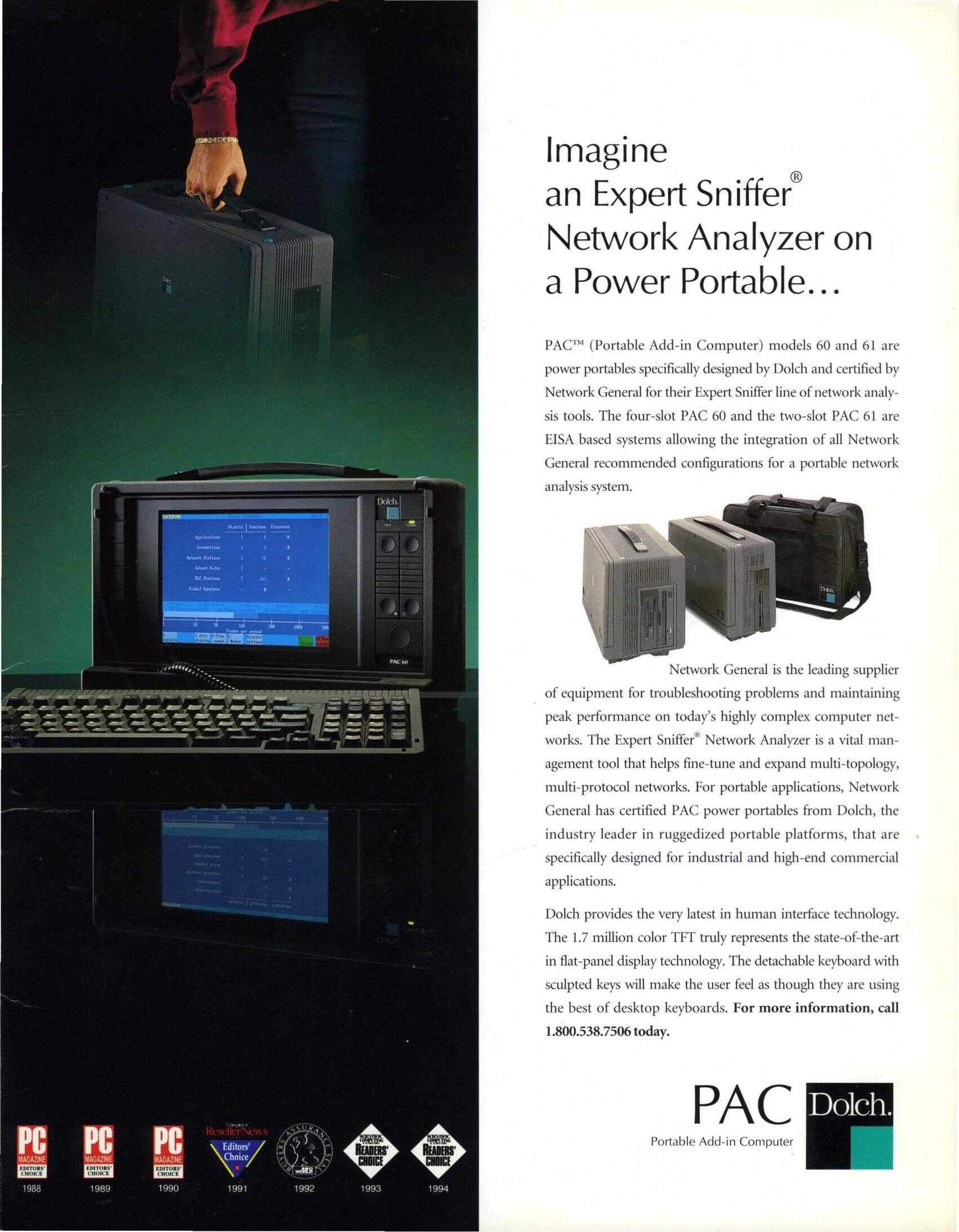
This machine was impressive for the time: it featured a full 16-bit ISA backplane, a built-in LCD display, 16mb RAM, and a hefty mechanical keyboard. With those robust specifications‒it was far more capable than the 75 MHz IBM ThinkPad 755 I was daily driving back in those days.
Fun aside; on the topic of mechanical keyboards, the PAC computer series was very influential in the late 2000s mechanical keyboard resurgence, and DOLCH's Signature Cherry MX keycap color schemes are still favoured on many modern mechanicals.
After I won the auciton, I sent the seller my payment by mail, via personal check, and waited. When it finally arrived, it was loaded with a bunch of high-end network cards which were impressive hardware for the era. I resold them to help fund my SoundBlaster AWE 64 Gold upgrade.
DOLCH, now defunct, was an American technology company that primarily built and marketed high-end portable "luggable" computers, also called "lunch-box" computers. These rugged, expandable systems were designed for field deployment on factory floors and in military theaters. The engineers gave these machines serious attention to detail, delivering quality that's clearly helped mine survive two decades. For over 20 years, I've used this PAC as my primary Fast Tracker II platform. It's traveled the world with me—in and out of recording studios and to dozens of club gigs and music festivals.
The 4GB Compact Flash card I installed around 2013 survived at least four OS upgrades: MS-DOS 6.2 through several versions of FreeDOS. But it finally failed this week.
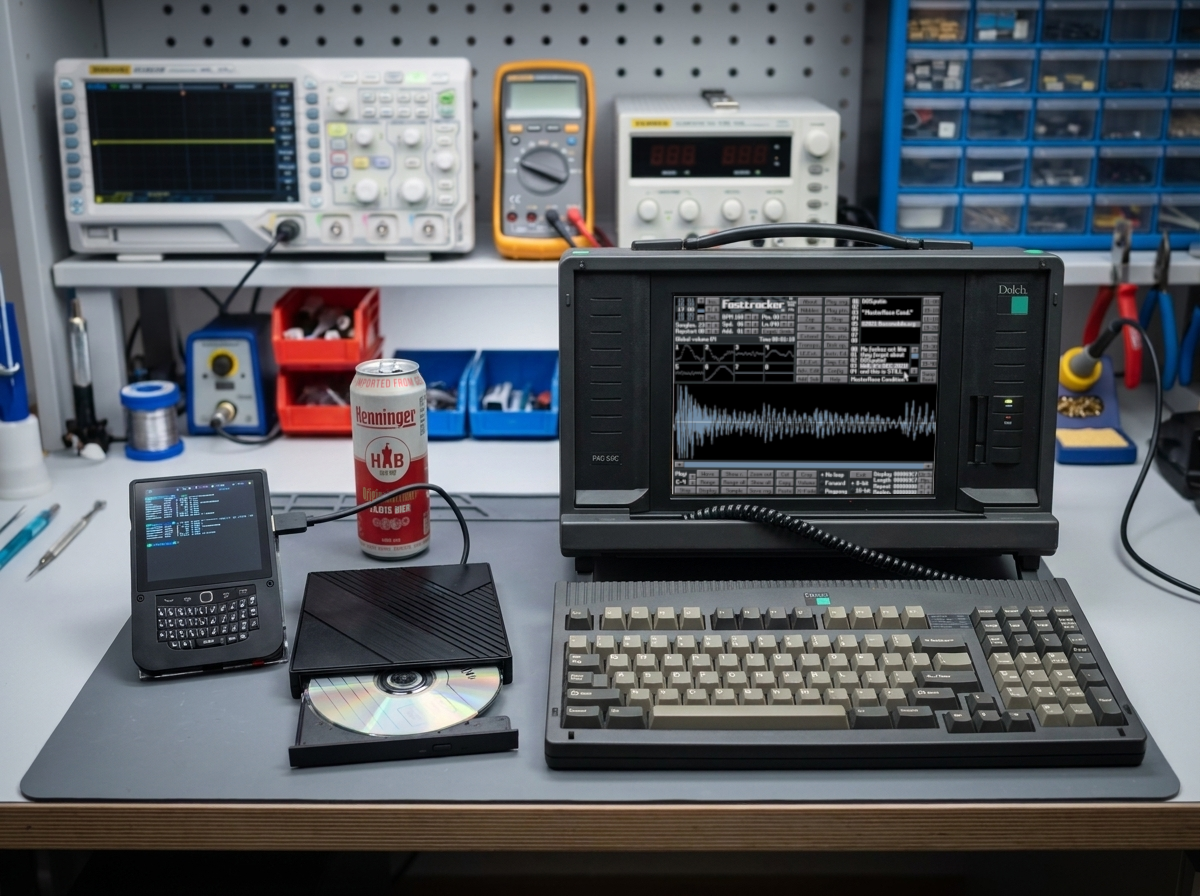
I've always been a computer hardware nerd, and portability has consistently been a primary criterion when seeking out machines. As a committed adherent to the suckless principle, you can see why running an old DOS computer matters to me. The same principle applies to my newest daily driver, a 350g Hackberry handheld, running as a host in my NixOS / HyprLand ecosystem.
Burning Chrome
When I plugged the generic CD burner into the USB 3.0 port on the Hackberry, it reports as an Initio INIC-1618L USB-SATA bridge with an HL-DT-ST DVDRAM GT33N behind it, which is an LG slim writer. The kernel greets it like this:
24x/24x writer dvd-ram cd/rw xa/form2 cdda tray
xa/form2 means CD-XA and mixed-mode discs, which is exactly what DOS-era software shipped on. cdda means digital audio extraction actually works. No Blu-ray, of course.
The System Module
I was a bit surprise when I probed and found that /dev/sg* simply did not exist. The sg module, SCSI generic passthrough, wasn't being loaded at all, which means the cdrdao drive probing and every one of the sg3_utils has nothing to talk to.
# modules/nixos/optical-media.nix
{
  # SCSI generic passthrough. cdrdao's drive probing and all of
  # sg3_utils talk to /dev/sg*, which does not exist unless this
  # is loaded.
  boot.kernelModules = [ "sg" ];

  programs.cdemu.enable = lib.mkDefault true;

  services.udev.extraRules = ''
    # Type 5 is MMC (CD/DVD). Generic SCSI nodes are root-only by default.
    SUBSYSTEM=="scsi_generic", ATTRS{type}=="5", GROUP="cdrom", MODE="0660"

    # Stable names for the external enclosure, block node and generic node.
    ACTION=="add|change",
    SUBSYSTEM=="block",
    KERNEL=="sr[0-9]*",
    ATTRS{idVendor}=="13fd",
    ATTRS{idProduct}=="0840",
    SYMLINK+="burner"
    ACTION=="add|change",
    SUBSYSTEM=="scsi_generic",
    ATTRS{idVendor}=="13fd",
    ATTRS{idProduct}=="0840",
    SYMLINK+="burner-sg"
  '';
}
Two details in there cost me time. ATTRS{...} rather than ENV{...}, because udev has to walk up the parent device chain to reach the USB descriptor where the Initio bridge's vendor and product IDs actually live. And ATTRS{type}=="5", which is the MMC device type, so the permission grant lands on optical devices only and not on every generic SCSI node in the machine.
Stable symlinks matter more than they look. /dev/sr0 and /dev/sg2 shuffle around depending on what else is plugged in.
akaiutil
This awesome tool is not packaged in the NixOS ecosystem, so I wrote a custom derivation packaging akaiutil 4.6.7. If you want to work with vintage AKAI S900/S950/S1000/S3000 sampler discs it is a must have because AKAI used a proprietary non ISO on-disc filesystems, and Linux by default cannot mount or interact with them.
Script Wrappers
Now that I had the CD reader/writer talking to my hosts, I figured it would be a good time build tooling for archiving optical-media too.
disc-rip detects the disc type first. Audio and mixed discs go to cdrdao read-cd --read-raw, producing .toc, .bin and .cue. Data discs, and anything it can't confidently identify, go to ddrescue, producing an .img and a mapfile.
The mapfile is important because many of my discs are 25 to 35 years old. dd hits a bad sector and gives up; ddrescue writes down exactly which sectors it couldn't get and lets you come back for another pass, from a different angle, at a different speed, increasing the chance that I get a complete copy on the second or third pass.
disc-burn dispatches on file extension. .cue and .toc go to cdrdao for multi-track, audio tracks and subchannel data. .iso and .img go to xorriso -as cdrecord -dao, sector-exact. .nrg, .mdf and .ccd get converted first, because the 90s had opinions about image formats. Then a read-back to verify the data integrity.
dvd-archive is the last one. xorriso builds the image, implantisomd stamps a checksum inside it, dvdisaster adds Reed-Solomon error correction, burn, read-back verify, and finally a plaintext MANIFEST with per-file SHA-256 hash that you print and keep with the disc. Paper works and generally keeps working.
Gotchas
xorriso does not author UDF. I wanted to support -udf but libisofs cannot write UDF at all. I found this out the hard way by building and running it, not by reading about it in the documentation.
dvdisaster gives a silent no-op These two commands look almost identical:
# Parsed as "list available methods". Prints the list, augments
# nothing, exits 0.
dvdisaster -i "$iso" -m RS02 -n 20% -c --no-progress

# Attached to the flag. Actually adds error correction data.
dvdisaster -i "$iso" -mRS02 -n 20% -c --no-progress
The spaced form prints the list of available methods and exits successfully. My script logs a cheerful success. The archive disc carries zero error correction. I would find out in eleven years, on the exact day I needed the ECC.
Operation Nope
In my first cdrecord pass I ran a REZERO UNIT command and the operations immediately failed with:
Operation not permitted
My assumption at first was the error was due to a group membership fail?
Nope.
The kernel filters which SCSI opcodes may be sent to a /dev/sr* block device unless the caller holds CAP_SYS_RAWIO. The /dev/sg* character device carries no such filter and is governed by ordinary file permissions.
So the fix was a udev symlink naming the sg node. I found that both xorriso and cdrdao stay inside the permitted opcode set and never trip this at all.
Getting Faked Out on the Verification
First real burn was a FreeDOS 1.4 Live CD FD14LIVE.iso. Burn succeeded. But my verify failed with a hash mismatch.
Before I took the failure at face value, I popped it in the DOLCH and the disc was fine. The FreeDOS live disk menu came up right away. So what the hell?
The kernel caches a block device's capacity when the medium is inserted, and does not refresh it after you burn to that medium, The disc was blank when it went in. So /dev/sr0 spent the rest of the session insisting, with total confidence, that it was 2048 bytes long, while the drive's own SCSI READ CAPACITY reported 411,951,104.
$ blockdev --getsize64 /dev/sr0
2048

$ sg_readcap /dev/sr0
Read Capacity results:
   Last LBA=201147 (0x311bb), Number of logical blocks=201148
   Logical block length=2048 bytes
Hence:
   Device size: 411951104 bytes, 392.9 MiB, 0.41 GB
Every read stopped dead after exactly one sector. And dd reported 1+0 records in and exit code 0. No warning, no short-read complaint, nothing. The "disc" hash in my failure message was the SHA-256 of a single 2 KB sector, being compared against a 393 MB image. Of course they didn't match.
The fix was to read through sg_dd blk_sgio=1, which asks the drive instead of trusting the kernel's stale bookkeeping. Second to that, the Initio bridge returns zero bytes for any transfer above 32 sectors, so blocks-per-transfer is capped at 16. It exits 55 when you exceed that, and since my scripts run under pipefail, an unsupported value will scream a loud error at you.
Once fixed, disc and image hashed identically. Sweet!
Verification reads run at about 1.6MB/s, I clocked a full DVD verify at roughly 45 minutes. My cheap USB drive being the main bottleneck, can't code around it, so when I need to do DVD archiving I'll bring an extra beer or two to the workbench.
Even Older Machines
One of the lesser known features of Fast Tracker II is it's full MIDI implementation. If can function not only as a 32-track sample tracker, but also as a powerful MIDI Sequencer. I like to sequence my collection of vintage Akai and E-mu Systems samplers, but they too like to be fed with optical media!
1980s sampler CD-ROMs, Akai and E-mu both, use filesystems Linux can't touch. The raw sector image is the artefact. Nothing may ever be passed through mkisofs, which would helpfully rebuild the filesystem and quietly destroy the thing we're were trying to preserve. I wrote my disc-rip script to send anything unrecognised to ddrescue.
Many old DOS games arrive as .bin/.cue with real CD audio tracks in them. xorriso and growisofs cannot write multi-track discs at all, so cdrdao is the only path. Whether the raw and subchannel write modes would survive a USB bridge was an unknown, right up until the drive reported SAO/R96R RAW/R16 RAW/R96P RAW/R96R and settled it.
Size Doesn't Matter
The wife peeked in on me while ripping discs before she laughed and walked off. Guess I deserved it. Sure it is a bit awkward using an ultra modern miniature Hackberry handheld, to burn a disc that rebuilds the OS on a 30 year old DOLCH portable machine. I laughed to myself during that first disc I burned, a FreeDOS live CD cut on battery power. I don't know how often I'll need to flex this in the future, but the tooling is fully declarative, which means in ten years—with some luck—it will still be there, still pinned, still doing exactly this.